Back to projects

Course Centre Management System

EduCentreCase Study.

A self-initiated web app concept designed to help tutoring centres manage students, educators, classes, attendance, payments, and parent visibility from one calm dashboard system.

Role-Based DashboardEducation SystemAdmin PanelFull-Stack Concept
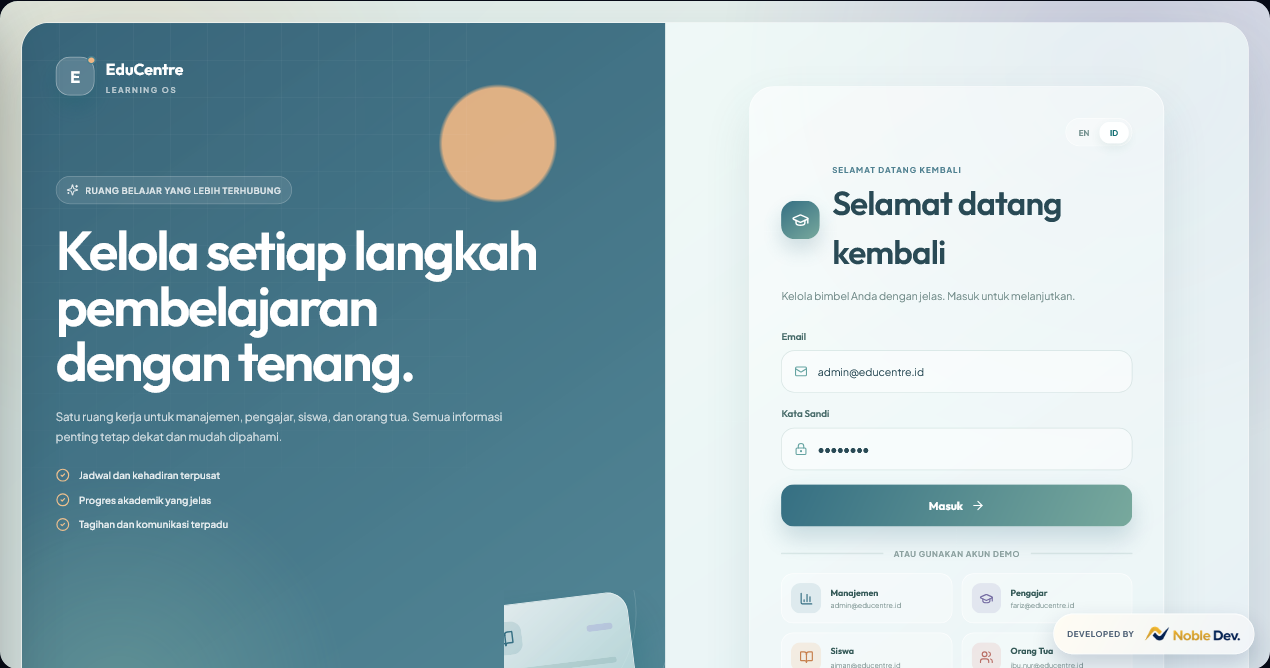
EduCentre login screen
4 user dashboards
!

Transparent portfolio note

This is a self-initiated portfolio project created to demonstrate product thinking, interface structure, and full-stack capability. It is not presented as a client project.

Project Overview

One learning workspace for daily course operations.

EduCentre explores how a tutoring business can centralize academic, administrative, financial, and family-facing information without making the system feel heavy.

4 Roles

11 Screens

2 Languages

Case study focus

  • Designing a clear multi-role dashboard experience.
  • Mapping different user needs into focused interfaces.
  • Reducing scattered manual work with one shared system.

01 / Problem

Small tutoring centres often run on scattered workflows.

Student data, schedules, attendance, billing, and parent communication are often split across spreadsheets, chat apps, paper notes, and manual reminders.

01

Student data is scattered

Identity, status, and learning records need one reliable source.

02

Attendance is hard to track

Educators and admins need a consistent recording workflow.

03

Parents lack visibility

Progress and payment updates should not depend on chat messages.

04

Daily work feels manual

Schedules, reports, billing, and notices need to stay connected.

02 / Solution

One shared system, tailored to each learning role.

Every user works in the same product, while the hierarchy and available actions adapt to their daily responsibilities.

Management

Students, educators, classes, billing, reports, and announcements.

Educator

Schedules, attendance, materials, students, and assessments.

Student

Classes, results, attendance, progress, and active bills.

Parent

Child progress, attendance, activities, billing, and updates.

03 / Role-Based Screens

Same design system, different information priority.

The dashboards keep a consistent visual language while changing content hierarchy for each role.

Management Dashboard

Management Dashboard

Central monitoring for students, classes, learning statistics, billing, and announcements.

Educator Dashboard

Educator Dashboard

A focused workspace for schedules, attendance, materials, students, and assessments.

Student Dashboard

Student Dashboard

Simple access to learning progress, results, attendance, schedules, and active bills.

Parent Dashboard

Parent Dashboard

Clear visibility into child activity, attendance, class progress, and payments.

Responsive by design

Navigation, cards, tables, and key metrics adapt into a focused mobile flow instead of shrinking the desktop interface.

EduCentre mobile interface

04 / Features

Features mapped to real education workflows.

The concept starts with practical modules and can grow from a focused MVP as the business, budget, and data mature.

Role-Based Access

Different dashboards keep every user focused on relevant tasks.

Classes & Schedules

Upcoming classes, rooms, activity, and daily status stay visible.

Attendance

Consistent tracking supports follow-up across users and roles.

Billing Summary

Active payment status is clear for students and parents.

Announcements

Important updates remain visible inside the system.

Bilingual UI

Indonesian and English make the interface more flexible.

05 / Design Approach

A calm interface for busy education operations.

The system uses visual hierarchy, consistent components, and clear status cues to make daily information easier to understand.

Dashboard-first hierarchy

Daily metrics appear first; detailed records remain one level deeper.

80%

Attendance

4

Classes

3

Students

2

Pending

Calm color system

Soft teal builds trust, while restrained accents identify roles and important states.

ActivePendingOverdue

Clear status language

Labels and color work together to communicate attendance, payment, and activity.

Role-based priority

Each role sees the actions and information most relevant to its responsibilities.

Reusable components

Cards, tables, badges, and actions follow one predictable visual system.

Responsive interaction

Mobile layouts reorder content by priority instead of simply shrinking desktop screens.

06 / Development Approach

From interface concept to full-stack system.

The proposed architecture connects role access, application logic, structured data, and deployment while leaving room for the final scope to follow real business needs.

Layer 01

Frontend UI

Role pages, dashboards, tables, forms, status badges, and responsive layouts.

React / Next.js / Tailwind

Layer 02

Backend API

Authentication, permissions, classes, attendance, billing, and announcements.

FastAPI / Node.js

Layer 03

Database

Users, roles, schedules, student records, payments, and learning progress.

MongoDB / PostgreSQL

Layer 04

Deployment

Environment configuration, frontend hosting, API hosting, and monitoring.

Vercel / Railway

07 / What This Shows

A portfolio project that demonstrates more than visual design.

01

Product Thinking

Translating a real workflow into a structured multi-role product.

02

UI/UX Structure

Organizing information so users can scan and act quickly.

03

Full-Stack Readiness

Connecting frontend, backend logic, data, and deployment.

04

Business Focus

Designing around operational clarity instead of visual novelty.

Build Something Similar

Need a practical dashboard for your business?

Noble Dev can help plan a focused web system for data, reports, schedules, users, or payments that still depend on manual workflows.

Discuss a similar project